


Description
Digital Grid Overlay for Radiology Images
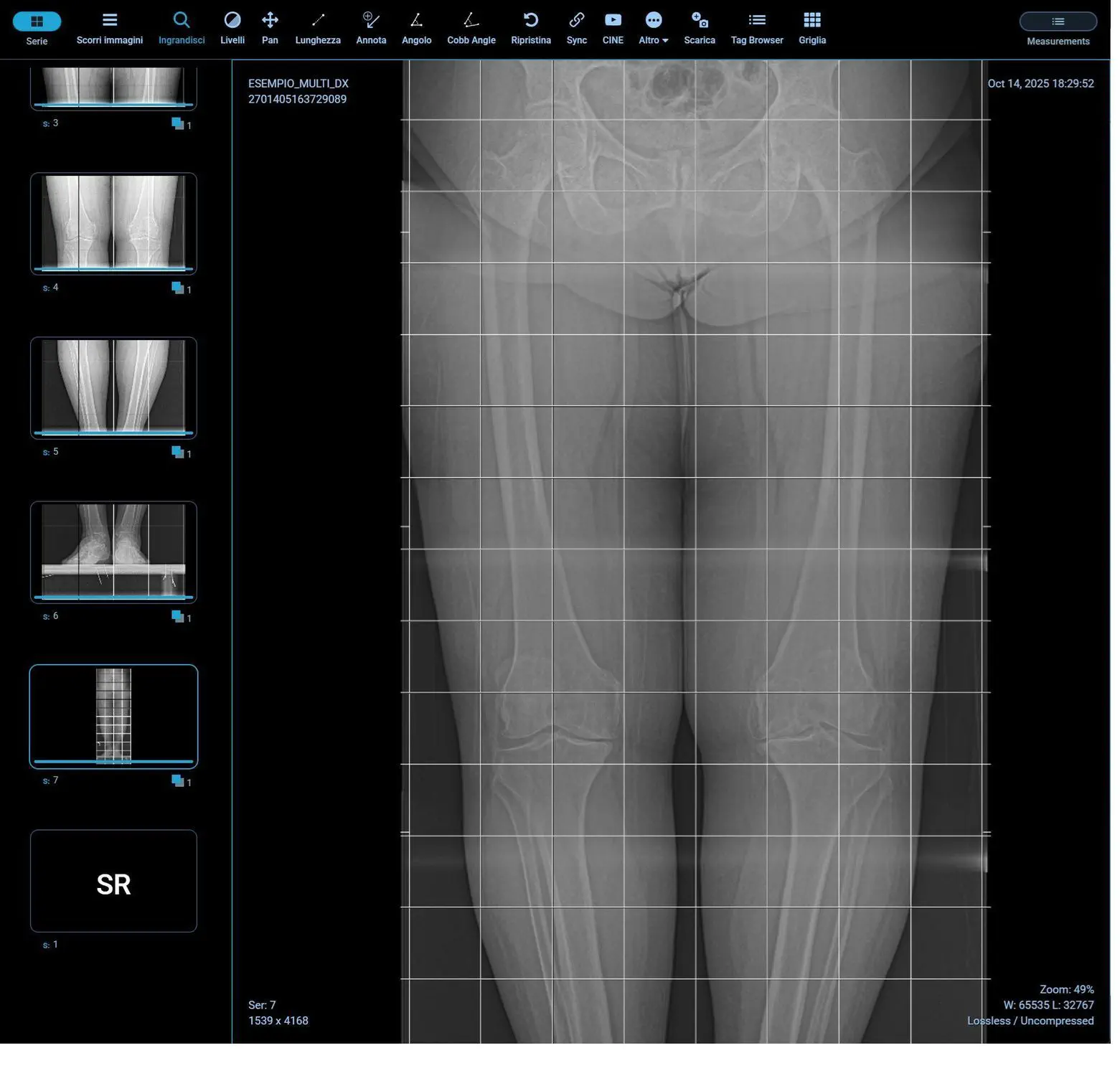
G-Squared Orthogrid is a Windows application designed to add a configurable grid to DICOM radiological images. Grid dimensions and position can be adjusted to suit the intended imaging workflow.
Operating as a Windows service, Orthogrid processes images received from compatible imaging equipment and distributes the resulting images to configured DICOM destinations. It is a specialised image-processing component rather than a complete diagnostic viewer or PACS archive.
Configurable Grid & Image Processing
Orthogrid provides two methods for applying the digital grid:
- DICOM graphical overlay: the grid is stored in the DICOM overlay attributes (60xx,xxxx), without changing the underlying image pixel data. Display of the overlay depends on the receiving application.
- Burned-in grid: the grid is incorporated into the image pixels when required for the selected destination or workflow.
Grid size, positioning and output behaviour can be configured according to the installation requirements.
DICOM Connectivity & Image Distribution
Orthogrid receives images as a DICOM C-STORE SCP node. After processing, it sends images to configured destinations such as PACS archives, other compatible DICOM storage nodes, patient-media publishing systems or DICOM printers.
For storage destinations, either a graphical overlay or a burned-in grid can be used. For DICOM printing, Orthogrid uses burned-in grids. DICOM interfaces and supported image types are assessed during integration planning.
True-Size Printing
Orthogrid supports true-size output when the connected printer provides the required capability. This can facilitate measurements directly on correctly scaled radiographic film. Printer compatibility, image calibration, geometry and output scale must be validated before using printed images for measurements.
Original Image Backup & Queue Monitoring
To help retain the original image data, Orthogrid provides a backup mechanism with a configurable retention period. This is distinct from a complete institutional archive or disaster-recovery solution.
The software also includes tools for monitoring and controlling processing queues, supporting routine administration of image transfers.
Deployment & System Requirements
Orthogrid operates as a Windows service on appropriately configured hardware. Installation requires administrator privileges and configuration of the relevant DICOM network connections.
The workstation configuration, supported Windows version and network requirements are determined according to the software release and the existing imaging infrastructure.
Procurement & Integration Through KareAI
KareAI offers Orthogrid to healthcare organisations in Bulgaria, with support for DICOM workflow assessment and integration planning. Contact us to discuss grid configuration, compatible imaging modalities, PACS connectivity, printing requirements, licensing and pricing.
Orthogrid applies a digital grid to radiological images and does not replace a physical anti-scatter grid.