

Описание
A Reading Workstation for General X-ray
Моделът KareAI Radiology Workstation – Essential is a configurable radiology workstation for hospitals and imaging clinics performing routine 2D X-ray reporting.
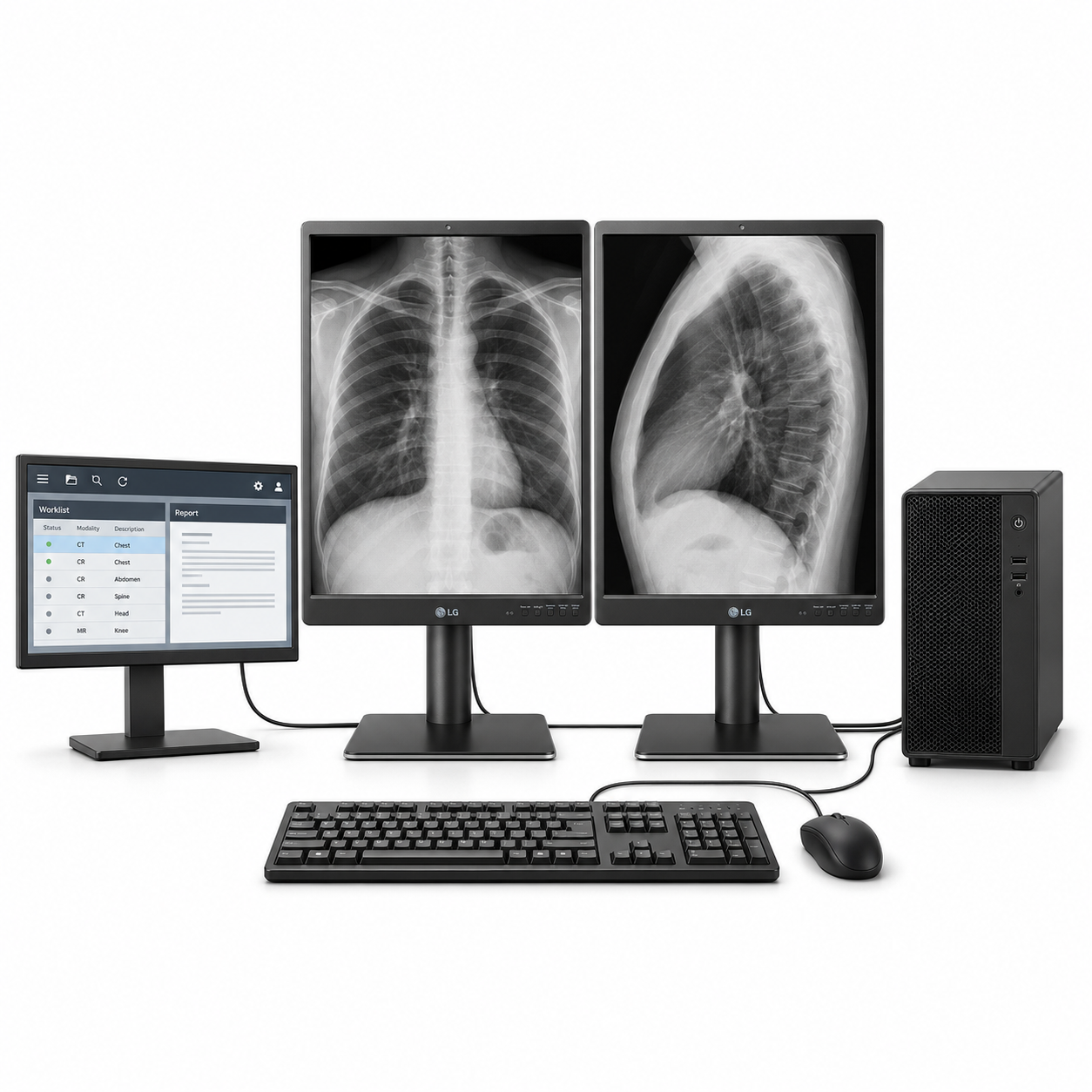
Compare a current chest radiograph with a prior examination, or place two views of the same joint side by side. The Essential configuration gives each image its own diagnostic display and keeps the worklist and report on a separate screen.
Dual 3MP Diagnostic Displays
The reference layout pairs two LG 21HQ513D diagnostic monitors with a 24–27-inch LG reporting monitor. We agree the display orientation and image layout with your readers.
EyeRad Viewing & Reporting
We can supply G-Squared EyeRad for DICOM image viewing, window and level adjustment, measurements and comparison with prior studies. We confirm the software licence, reporting workflow and access to prior examinations against your existing PACS/RIS before quotation.
Reference Hardware Specification
| Component | Reference configuration |
|---|---|
| Operating system | Microsoft Windows 11 Pro, 64-bit |
| Processor | AMD Ryzen 7 7700 · 8 cores / 16 threads |
| Memory | 32 GB DDR5 · 2 × 16 GB Corsair Vengeance |
| Graphics | PNY NVIDIA RTX A1000 · 8 GB |
| Storage | Samsung 990 PRO 1 TB NVMe SSD for applications and local study cache |
| Motherboard | ASRock B850M Steel Legend WiFi; wired Ethernet for the PACS connection |
| Cooling and power | Arctic Freezer 36 Black air cooler; Seasonic Core GX-650 power supply |
| Enclosure | be quiet! Pure Base 501 Airflow Window Black |
| Displays | 2 × LG 21HQ513D, 21.3-inch, 3MP; separate 24–27-inch LG reporting monitor |
| Accessories | Wired keyboard and mouse, display cables and adapters; UPS sized for the final configuration |
The SSD holds working copies of studies. Your PACS remains the long-term archive.
Optional Software & Integration
For departments adding chest X-ray AI or radiology dictation, we can quote the software, integration and any separate processing infrastructure. For breast imaging, see the KareAI Mammography Workstation.
Configuration, Installation & Support
Tell us which PACS and reporting system you use and how your radiologists compare studies. We use that information to confirm the software, graphics driver and display configuration before supply. Your quotation sets out installation, display acceptance checks, user training, warranty and support.
Configured to your department. The reference hardware, display models, software licences, accessories and services are confirmed in your quotation. The workstation image is an illustrative configuration; equipment appearance and screen content may vary.