
Описание
Diagnostic DICOM Viewing & Radiology Reporting
G-Squared EyeRad is specialised radiology reporting and diagnostic image viewing software designed for qualified radiologists. It provides fast access to DICOM examinations, a configurable reading environment and the tools needed to review medical images within established radiology workflows.
Developed for Microsoft Windows workstations, EyeRad works with compatible imaging modalities and existing PACS/RIS infrastructure. It is particularly suited to departments seeking dedicated diagnostic viewing and reporting software without replacing their established image archive.
Multimodality Image Visualisation & Analysis
EyeRad supports diagnostic image display and manipulation across multiple DICOM modalities, including digital radiography, CT, MRI, ultrasound, mammography, digital breast tomosynthesis and other supported examination types.
Core viewing and analysis functions include:
- Image adjustment: contrast and brightness control, LUT inversion and predefined or custom lookup tables.
- Navigation: zoom, magnification, pan, flip, 90° rotation, multislice navigation and cine playback.
- Volumetric review: MIP and Thick Slab visualisation, with synchronisation of volumetric series.
- Measurements: distance, angles, Cobb angle, pelvic tilt, geometric measurements and pixel-value assessment.
- Annotations: marking and reviewing relevant regions during image interpretation.
Dedicated Mammography & Tomosynthesis Workflows
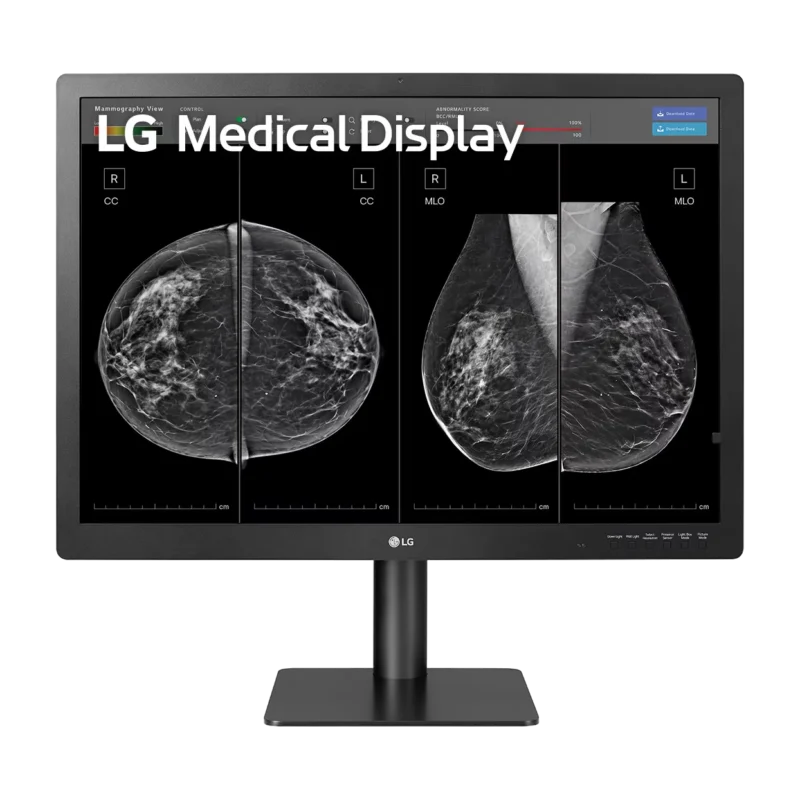
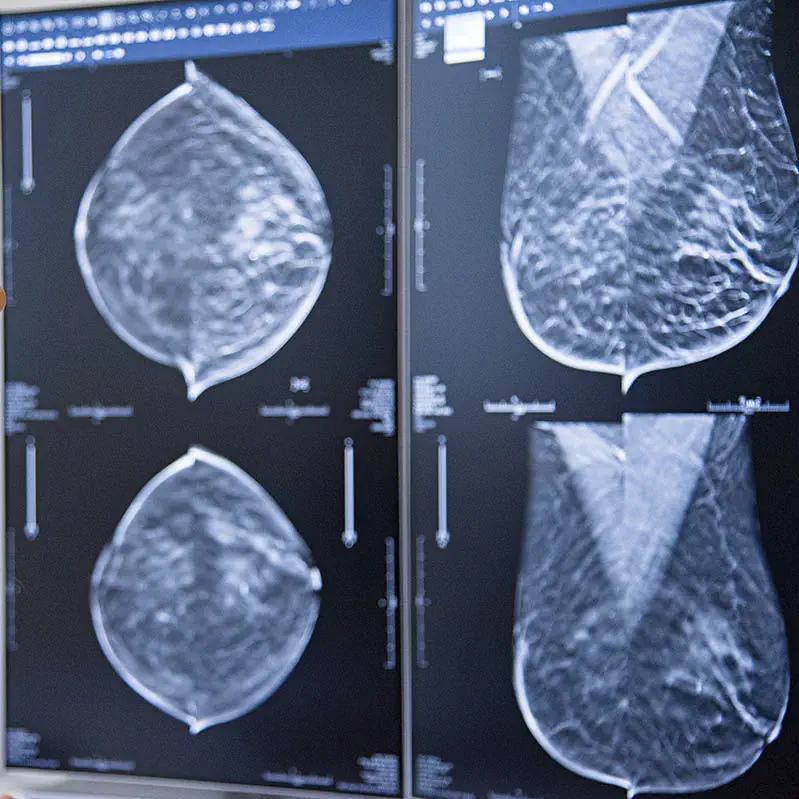
EyeRad incorporates specialised display and navigation workflows for full-field digital mammography and digital breast tomosynthesis (DBT). It supports synchronisation of relevant 2D and 3D image series and comparison with previous breast imaging examinations.
The software can also display compatible AI-generated breast imaging results supplied as DICOM Structured Reports (CAD/SR), allowing radiologists to review those findings alongside the original images.
EyeRad visualises compatible AI outputs; it is not described by the supplied documentation as an autonomous AI image-analysis application.
Flexible Reading Workflow & Prior-Study Comparison
EyeRad provides tools intended to make routine radiological review more efficient and consistent:
- Automatic prefetch of previous examinations from compatible PACS systems.
- Side-by-side or synchronised comparison with prior studies.
- Customisable hanging protocols for displaying images according to patient, study, series and examination type.
- Interactive browsing of patient studies and workflow navigation shortcuts.
- User-configurable viewing preferences and predefined LUTs.
Workstation configuration can be adapted to the needs of individual radiologists and different imaging applications.
DICOM Connectivity & Image Exchange
EyeRad can receive examinations over a DICOM network from supported imaging equipment and PACS environments. Documented input methods include DICOM server/WADO retrieval, supported local file access and DICOMDIR media import.
Other documented interoperability functions include:
- Prefetch and retrieval of previous studies from PACS.
- Reading and writing DICOMDIR-structured examination media.
- Exporting image series to common formats including JPEG, PNG and BMP.
- Printing displayed images using compatible DICOM or Windows printers.
Exact integration and supported DICOM services should be verified for the hospital’s existing PACS, RIS and imaging infrastructure before deployment.
Diagnostic Workstation & Display Configuration
EyeRad is designed for multi-monitor diagnostic workstations with suitable high-resolution medical displays. The manufacturer’s brochure describes configurations using 2MP, 3MP and 5MP medical monitors and graphics hardware capable of 10-bit output.
EyeRad is a software product. Computers, diagnostic monitors, accessories and installation services are not assumed to be included in a software-only licence and can be specified separately as part of a complete KareAI workstation configuration.
Recommended System Requirements
- Operating system: Microsoft Windows 11 Pro.
- Processor: Intel Core i7-class or higher.
- Memory: 16 GB RAM.
- Storage: SSD with at least 500 GB capacity.
- Network: 1 Gb Ethernet connection.
- Graphics: 10-bit capable graphics card suitable for the chosen medical monitors (e.g. NVIDIA T400 or equivalent).
- Display: suitable medical-grade monitor configuration.
- Power protection: UPS support recommended.
These recommendations come from the manufacturer’s February 2026 brochure. Final workstation requirements depend on examination types, monitor configuration, imaging workload and the installed software release.
Deployment, Licensing & Purchasing Through KareAI
EyeRad requires installation and activation of a G-Squared software licence. Setup involves configuration of the Windows workstation and relevant DICOM connections. Installation should be handled by personnel familiar with clinical imaging networks and PACS/RIS environments.
KareAI can assist with EyeRad software procurement, compatible diagnostic workstation configurations, medical monitor selection and deployment coordination. Contact KareAI to discuss site requirements, supported integrations, licensing, implementation and pricing.
Intended users: qualified radiologists. Software licence terms, included services, current regulatory documentation and compatibility with the target environment are confirmed for the selected offering.